Master Microsoft Excel and Boost Your Productivity
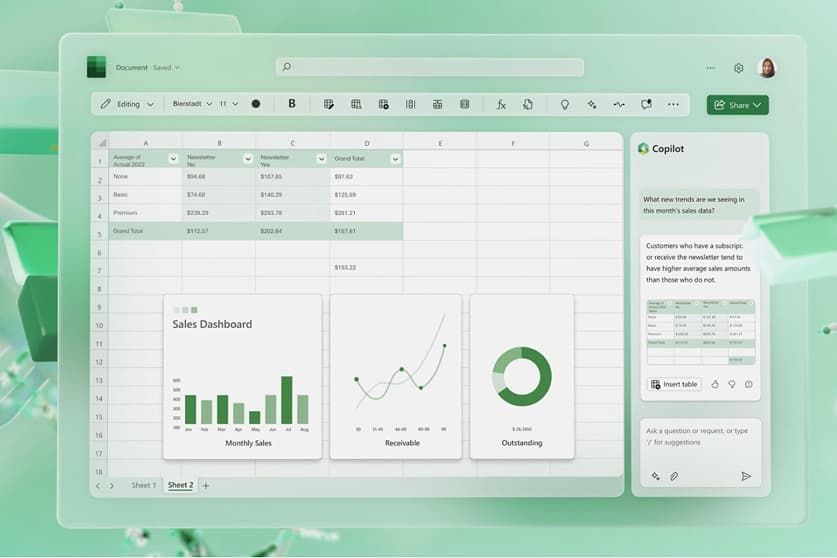
In this digital world Microsoft Excel is definitely the king of all spreadsheet programmes. This app is suitable for any type of financial needs, from managing finances in the comfort of your own home to analyzing intricate investments or managing huge data sets for a global company. From a simple grid of rows and columns, Excel opens a new range of possibilities, making it a complete ecosystem that can turn data into insight. With data being the decisive factor for critical business decisions, knowing how to harness this dynamic tool is not just an advantage, it's a must to achieve efficiency in everyday business and work tasks and be a master in the field.


Seamless Data Organization
Excel is a platform at its heart, incredibly intuitive, for sorting and structuring information across any industry. Highly customizable cells allow users to easily enter text, numbers and dates. You can filter, sort and search through large tables in a matter of seconds, and know exactly what you're looking for. This is taken further with conditional formatting, which ensures that trends and numerical outliers (where relevant to the spreadsheet) are highlighted automatically, so that in your next visually plain spreadsheet you can put forward a bright, visually stunning dashboard that will gauntlet the attention of any user.
Powerful Formulas and Functions
The essence of this app is its large and ever-increasing suite of inbuilt functions. Don't be a mathematics wizard to do complex calculations. Simple numeric sums can be repeated with a few keystrokes, financial yields calculated over extended periods, and comprehensive logical tests carried out. These inbuilt functions like VLOOKUP and the advanced XLOOKUP can automate even the most tedious tasks, conserving countless hours of manual work. You can connect your base cells and update background data automatically so your spreadsheets are living documents that will automatically update whenever there is new data available without the constant need to manually update spreadsheets.
Dynamic Data Visualizations
Numbers can sometimes be extremely hard to decipher and that is where Excel can help because it is in visual form! Creating eye-catching charts and graphs is easy as long as there's only a couple of clicks involved. The application provides a particular visualization format for each unique data set, whether it be classic pie, detailed bar or a more in-depth scatter plot. These visual aids are essential when creating professional presentations and reports because they make it easier for any non-technical person to easily and effectively understand and convince a large audience of the complex numerical data you have to report.
Advanced Analytical Tools
If you're in the mood for a deeper dive into any metrics, you can access advanced tools such as PivotTables and Power Query. PivotTables enable you to summarize gigabytes of information to instantly find out any patterns or correlation you're looking for as you simply drag and drop fields. Power Query functions as a digital "glue" to external data sources, in the meantime. It allows you to easily import, scrub and mold data from other websites, cloud databases, and files before it even makes it to your main spreadsheet. As a result of these advanced features, these capabilities can easily go beyond basic data input and into the realm of professional data science.
Cloud Integration and Collaboration
Digital isolation is now over – things are happening here far too quickly and it’s a world wide web now. Your work is securely backed up and can be accessed from any smartphone, tablet, or computer, and is seamlessly compatible with the most modern and sophisticated cloud storage platforms. However, with real-time co-authoring, everyone editing the same workbook at once. Similar to many other office applications, you can leave comments right in the software's interface, making it easy to communicate with coworkers and keep the entire project on the same page, no matter where your colleagues are located.