
Home > Design Space
Design Space App Icon

Design Space Safe download icon

star rating 3.9
Rating
727K+
DOWNLOADS
6.62.0
Version
ADVERTISEMENT

Additional Info

app name icon
App Name
Design Space
developer icon
Developer
Cricut
rating icon
Rating
3.9
package name icon
Package Name
com.cricut.designspace
version icon
Version
6.62.0
update date icon
Updated
Jun 8, 2026

Description

Design Space is the free design software developed by Cricut to be used in conjunction with their line of smart cutting machines on desktop (Win and OS), mobile devices(iOS and Android), or as a web-based application where creative ideas come together with precise cut technology. It allows users to create, personalize and prepare projects before sending it onto your Cricut Explore machine.

Design Space was first launched as a less complicated option to beyond the part vector design package program, Design Space developed into an powerful yet low-cost bundle for hobbyists or even those small commercial enterprise proprietors and academics nor completely-capable experts. It connects the gap between creativity and reality, it converts your digital fabrication to physical creations on several materials.
Features

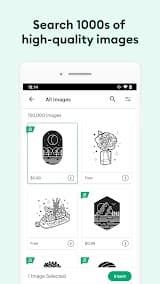
1. Extensive Design Library: Through Design Space, you also have access to Cricut Access, a subscription model library with over 200,000 images (bonus points for being royalty free), thousands of fonts and hundreds ready-to-make projects. Free users can also use a fairly packed library of simple designs, along with system fonts to ensure creativity isn't held up by payment gates.

2. Multi-Platform Accessibility: The software also works effortlessly on your devices. Users can work on a project from their laptop, refine it on the tablet and send final art via smartphone. Cloud-based saving allows for work continuity and ensures no data is lost.

3. Advanced Image Upload and Editing: Users can import their own images, using built-in tools to clean up backgrounds and erase unwanted elements, then convert raster images into cut-ready files. With "Print Then Cut" you can print pretty much anything in full-color on your home printer and then have the Cricut make precision cuts—perfect for stickers, labels, or intricate paper crafts.

4. Smart Material Compatibility: Cricut Smart Materials do not require a cutting mat, and Design Space recognizes them. Smart Vinyl, Smart Iron-On or Smart Paper is selected in the software; automatically adjusts settings to make crafting easier.

5. Layer Management and Color Sync: With the layer panel in Design Space, many multi-layer designs can be easily arranged. It allows users to group, ungroup, weld and slice shapes as well as attach or flatten items. Plenty of printing options like Color Sync which combines layers with similar colors saving on material usage and time.

Review

Design Space is your one link between the world of digital crafting and physical Cricut production. Pairing with the hardware makes it an incredible mix of accessibility and pro-grade tools, albeit one or two very modern digital quirks on there too.

The interface is surprisingly intuitive. You can use a huge raft of templates and literally make something within minutes, or go very deep into customizing using complex text options and image uploading. The flexibility of being able to sync your projects on the fly between the phone, tablet and computer is a game changer. The app is heavily monetized. The app is free to use on the surface, but in reality without a Cricut Access subscription you won't be getting many of the best fonts and images. The app itself can be quite taxing on resources too causing slowdowns for older devices, or logging players out and risking unsaved progress.

Design Space is in general terms one of the best program to have if you own a Cricut machine! It does a great job bridging the gap between elaborate graphic design and approachable DIY execution.

FAQ

1. Am I able to provide my own images and fonts?

-

Absolutely. Most of all, you can upload your own images (SVGs, PNG or JPG) and fonts to give it a totally unique touch that is 100% personalized for the projects.

2. Do I have to be connected to the internet?

-

Generally, yes. As it is a cloud platform, you need to log into the internet for searching further in a library and saving your data on Cloud. Desktop (Windows/Mac) and iOS users also have offline mode, so Projects that you opened previously with no Wi-Fi would work fine. Note that the offline capability is currently missing on Android version.

3. What machines/devices are supported?

-

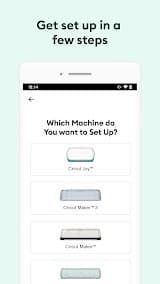
The app is compatible with all the machines — Cricut Joy, Explore series, Maker & Venture. It works on Windows, Mac, iOS and Android. It does not support Chromebooks.

4. Is it beginner-friendly?

-

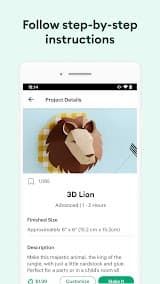
Yes. The application has a section with step-by-step guides and templates called "Ready to Make", allowing even complete novices in design, more or less effortlessly achieve professional results without having ever come before them.

ADVERTISEMENT
install icon install icon Install Latest APK history version icon history version icon Check historical versions

Ratings

3.9
Total 72.6K
5 star
4 star
3 star
2 star
1 star

Screenshots

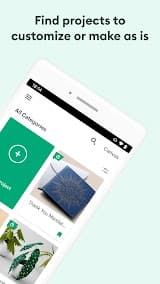
Design Space App Screenshot
prev screenshot next screenshot