Home > Grammarly
Grammarly App Icon

Grammarly Safe download icon

star rating 4.3
Rating
5.7M+
DOWNLOADS
2.110.100044
Version
ADVERTISEMENT

Additional Info

app name icon
App Name
Grammarly
developer icon
Developer
Grammarly, Inc.
rating icon
Rating
4.3
package name icon
Package Name
com.grammarly.android.keyboard
version icon
Version
2.110.100044
update date icon
Updated
30 June 2026

Description

Grammarly is a feature-rich and AI-driven writing assistant that helps polish, optimize and edit English writing content. Powered by state-of-the-art natural language processing and generative AI, it is your most comprehensive writing assistant for students & office workers: full-time professionals in a wide range of industries; content creators (bloggers/vloggers) who want to make their articles/videos stand out from the competition — as well as non-native English learners. Compatible with the most massive platforms and devices, it is available as real-time writing assistance throughout drafting, revision and final polish to help user produce clear, accurate professional-context appropriate literature while steadily educating them on how to express themselves studiously through language.

Features

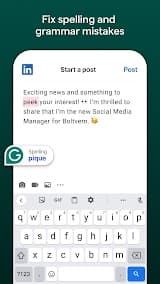
1. Comprehensive Intelligent Proofreading: Much more than just basic spell check. Real-time AI-based proofreading with GPT-3 Grammar Checking Tool accurately identifies and fixes writing errors such as grammar mistakes, punctuation errors word misuse, wrong collocations awkward sentence structures.

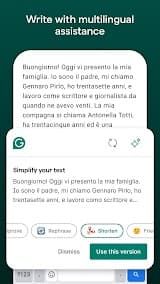
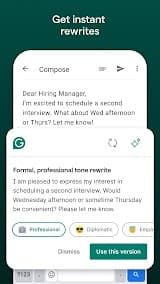
2. AI-powered Writing Optimization & Paraphrasing: Grammarly, which has generative skills built into it, offers one-click sentence and full-paragraph rewriting. This is done through improving fluency and readability of the text, by breaking down redundant expressions usage or changing up logic in sentence structures while also helping with word choice.

3. Accurate Tone & Style Customization: The intelligent tone detection system can accurately identify different types of writing tones, such as formal, casual and rigorous friendly persuasive. It gives recommendations that would only help you in a given situation, business emails academic papers social media posts and official documents.

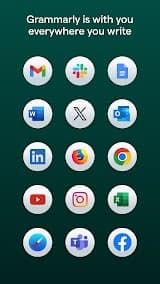
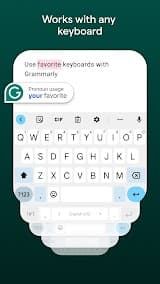
4. Full-scenario Cross-platform Compatibility: Compatible with mainstream browsers, Windows and Mac desktop clients, mobile devices on iOS and Android systems; perfectly embedded in more than 500k most used apps & platforms including Microsoft Word, Google Docs/Notion/Slack etc.

5. Practical Advanced Auxiliary Functions: The tool can check for plagiarism to detect duplicate content in academic papers and creative works. It also recommends vocabulary and genre-based writing, discovers citations automatically, summarizes content with one click; appreciably boosts the productivity of professionals for both practicality and academic orientation.

Review

Grammarly is a smart writing assistant for grammar checking, spelling checks, punctuation and style problems in real time. The utility works smoothly with all related platforms, web browsers alike Microsoft & Google Application and even mobile Keyboard. This flexibility enables you to use it on platforms and CLI applications that write text, which makes a big convenience feature for users writing across such devices. Whether you are writing formal emails or academic essays, Grammarly gives real-time feedback that enables you to improve your written form and its caliber. 

Grammarly makes one of the best apps out there, however this user-friendly interface is what impresses me most with it. It highlights possible mistakes in color coding, making it obvious to see if an error relates to grammar, spelling clarity or engagement. When you hover over these underlined words or phrases, it provides detailed explanations and recommends corrections that will encourage users to grasp what is being done wrong. 

The free version of Grammarly has quite a lot to offer too and is probably more than enough for most casual writers, giving you the basics with grammar checking spelling. The Premium edition, though, opens a plethora of advanced features that make writing so much easier. This could be vocabulary improvement suggestions, tone detection, plagiarism checker and more advanced clarity improvements.

But the tool do have its limitations. Although the AI is astoundingly accurate, it sometimes wrongly marks something as a mistake when that stylistic choice was made intentionally. For creative writers in particular, Grammarly's suggestions can sometimes sabotage their unique voice or artistic expression.

Though these are minor drawbacks, Grammarly remains an indispensable tool for any writer looking to improve. Being a proofreader–they catch errors that even other products would miss, to boot.

FAQ

1. Does Grammarly work on mobile devices?

-

The answer is yes; Grammarly does have a mobile keyboard for iOS and Android so you can at least check your writing in any application on mobile like text messaging or social media.

2. Is Grammarly a Human Editor Replacement?

-

Grammarly excels at catching mechanical errors and enhancing clarity, but for the more sophisticated or nuanced projects that creative writing typically entails personal judgement that only a human editor can provide.

3. Is using Grammarly safe?

-

According to Grammarly, user data is protected by means of encryption in transit and strict privacy procedures. Nonetheless, while users should feel assured that their information is held with the company for good use you must read through and be aware of what will happen to your data stored by them.

4. Is Grammarly available in languages other than English?

-

Right now, Grammarly only supports English (American, British, Canadian and Australian). At the moment, support for other languages is limited.

ADVERTISEMENT
install icon install icon Install Latest APK history version icon history version icon Check historical versions

Ratings

4.3
Total 251.9K
5 star
4 star
3 star
2 star
1 star

Screenshots

Grammarly App Screenshot
prev screenshot next screenshot