







Description
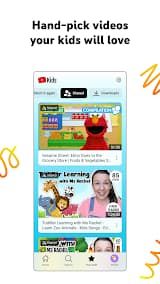
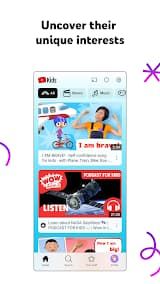
YouTube Kids is Google's official, free video app designed for curious young minds (ages 3–12). It carves out a "walled garden" from the main YouTube platform, offering only family-friendly videos selected through a mix of automated filters, human review, and parent feedback. The interface is simple, colorful, and built for small fingers — big buttons, easy scrolling, and no comments section.
YouTube Kids lets parents decide what their kids watch and how long, while giving kids a fun, safe space to explore videos they actually love — from Sesame Street to science experiments to DIY crafts.
Features
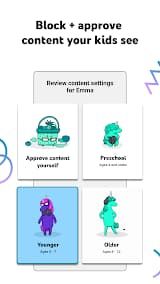
1. Age-Based Profiles: Choose Preschool (≤4), Younger (5–7), or Older (8+) — each unlocks different content tiers. Up to 8 child profiles, each with independent settings.
2. Four Content Categories: Shows, Music, Learning, Explore — plus auto-generated topics based on what your child watches.
3. Approved Content Only Mode: Parents hand-pick every video, channel, and playlist. Search is disabled for maximum control.
4. Parental Controls (Grown-Ups-Only Lock) : Turn off search, block individual videos or entire channels, set content filters, and manage screen time — all behind a password-protected settings panel.
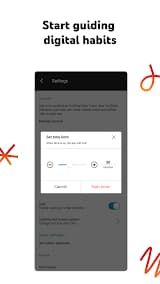
5. Built-in Timer: Set screen time from 1 to 120 minutes. When time's up, the app freezes and kids need a parent code to continue.
Review
As a parent, your primary concern was finding a digital environment where kids could explore videos safely while developing their own interests—and YouTube Kids has largely delivered on that promise.
The age-based content modes are genuinely useful. The Preschool mode and enjoys ABCs, simple songs, clips that inspire curiosity while the older child uses. Individual profiles for each child plus the ability to apply custom content filters gives a somewhat bespoke feel as opposed to one-size-fits-all.
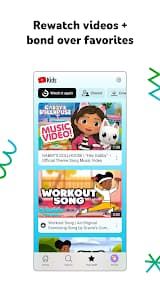
You will especially love the parental control suite on offer. You can also set a timer that will freeze the app after meeting their limit for usage on screen time you determined, to promote better habits and nudging them back away from screens into actual play. Even the "Watch it Again" tab is good—check what they are watching, co-watch some favorites and talk about movies you both like. Although the automated filtering is already pretty good, blocking certain videos/channels and marking anything inappropriate is really easy so you can feel extra secure.
The free version can be used, but kids still see commercial content by creators (not paid ads) which is a gray area for many younger viewers.
In the end, you may be struck by a strong balance on YouTube Kids — exploration and safety. But as long it is thoughtfully set up, then sometimes they have helped my kids find other hobbies the woodwork—DIY crafts to science experiments while keeping them intentional in a kid-friendly environment.

