







Description
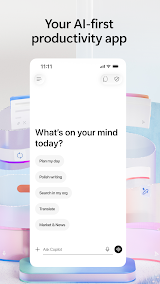
Microsoft 365 Copilot is a New & To-Added productivity application that helps you in your work life — and it was designed with AI-first. It acts as a one-stop shop for chat with an intelligent AI assistant, produce high-quality content and facilitate project management while finding files in seconds. The app basically focuses on getting more done with less effort allowing you manage your daily tasks in a better way while mostly being mobile.
Features
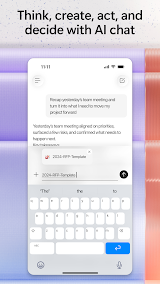
1. Engage with your Assistant: Use natural language to ask Copilot for draft emails, create or summarize documents and analyze spreadsheets.
2. Voice Interaction: Talk directly to Copilot for brainstorming, fast answers, or the daily planning process while you work hands-free.
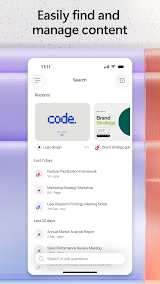
3. Swift Search: Instantly retrieve files like the strategy decks you just worked on, or documents attached to emails.
4. Super Fast Learning: Ask Copilot to explain hard concepts and summarize events of 2026 or help you in preparing for the next presentations.
5. Expert Insights: Built-in AI agents like "Researcher" and "Analyst" allow you to produce in-depth research reports & analyze complex datasets.
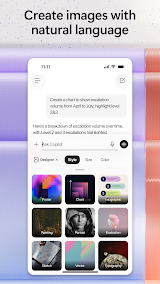
6. Content Creation: Use simple templates to produce polished visual content. Create and edit images, posters, banners, surveys etc.
7. Project Management: Copilot Notebooks to organize your ideas, documents and links so the AI can summarize it all for you.
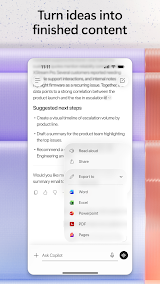
8. Document Upload and Analysis: You can now directly from your phone storage, Word, Excel or PDF files to get instant answers with Copilot.
Review
It is a game-changing AI-powered productivity tool that perfectly caters to modern mobile office needs. Unlike traditional office apps that only support passive file editing, this AI-first application integrates intelligent assistance, content creation, file management and learning empowerment into one lightweight mobile platform, greatly simplifying fragmented work operations and significantly boosting overall efficiency.
The most impressive feature is its natural language interaction capability. Whether you need to draft a formal work email, summarize long Word documents, or analyze simple Excel spreadsheets, you can get accurate and well-structured results with plain conversational prompts. The voice interaction function further optimizes the mobile experience. When you am commuting or on the go, you can verbally ask Copilot to sort out daily work schedules, brainstorm creative ideas, or answer professional questions, which makes hands-free office work totally achievable.
Its efficient file retrieval and project management functions also solve major pain points of mobile office. It is always troublesome to search for scattered files and email attachments on mobile devices, but Copilot can quickly locate recently edited strategy documents, attached files and other key materials with simple instructions.
In terms of minor drawbacks, individual functional details still have room for optimization. Occasionally, the AI-generated content needs slight manual revision to fit personalized work styles, and a few advanced Office visual effect production functions are not yet fully supported on the mobile terminal. Overall, these shortcomings do not affect the core use experience.
To sum up, Microsoft 365 Copilot is a powerful and practical all-round productivity assistant. It truly realizes the core value of "getting more done without doing more", effectively reduces repetitive and trivial office work, and is highly suitable for office workers, students and all users who need efficient mobile office tools.

