






Description
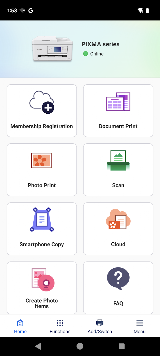
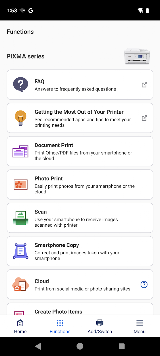
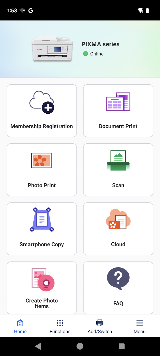
Canon PRINT (previously known as Canon PRINT Inkjet/SELPHY) is free, official mobile app developed by Canon Inc. The ultimate smart control tool for Canon PIXMA, MAXIFY and SELPHY series printers on any iOS/iPad OS/Android & ChromeOS devices. Created to smash the shackles of standard wired printing, this particular application aids you in wireless transmitting as well as allows remote device control along with several document and photo processing functions. It makes everyday printing, scanning and copying tasks at office or home much simpler, with users controlling their Canon printers from anywhere as long as they have a mobile phone or tablet in hand.
Features
1. Seamless Wireless Connection: The app supports multiple flexible connection modes including Wi-Fi network, Wi-Fi Direct and built-in access point connection.
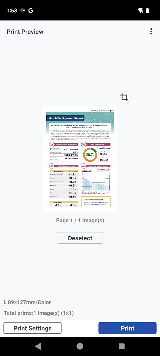
2. Multi-format Printing Support: It supports direct printing of mainstream file formats such as JPG images and PDF documents.
3. Powerful Scanning & Copying Functions: Compatible Canon printer models support one-click scanning of paper documents and photos to mobile devices. The scanned files can be saved locally, sent via email or synchronized to cloud platforms.
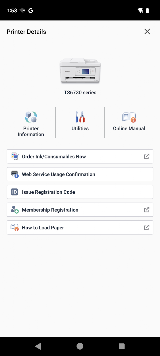
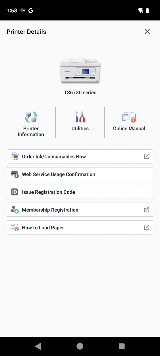
4. Real-time Printer Status Monitoring: Users can check the real-time working status of the printer through the app, including remaining ink or toner levels, device connection status and working faults.
5. Cloud Printing & Remote Control: Equipped with cloud connection capability, the app supports cloud printing and remote device management.
Review
Setup is genuinely painless. Once your printer is on the same network, the app finds it in seconds — you can even scan a QR code for instant pairing. From there, printing photos and documents is intuitive: specify paper type, switch between color and black-and-white, toggle duplex printing, and hit send. The scan function is equally simple — capture a document and save it as PDF or share it directly. You can also check ink levels, run print-head cleaning, and view error messages remotely, which saves a trip to the printer. Cloud printing and Apple Health-style integrations add real convenience for power users.
Connectivity is the app's Achilles' heel. Multiple users report that the app "almost never connects successfully on the first try," especially when printing time-sensitive documents at night. Wi-Fi signal strength below 80% between router and printer causes inconsistent behavior — the app may show "active" one moment and "failed to communicate" the next. On iOS, formatting can shift unpredictably between iPhone and iPad, wasting ink on reprints. Some users get bogus errors: "low ink" with a brand-new cartridge, or "no paper" when the tray is full. On Android, Canon Print Service must be manually activated on devices running Android 6 or below — a step many users miss entirely.
For casual home use — printing homework, scanning receipts, shooting out photos — Canon PRINT delivers. For anything mission-critical, keep a USB cable handy and don't trust the app to perform under pressure.

