

Description
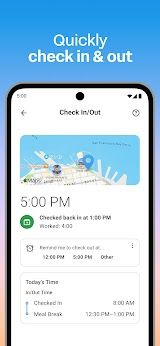
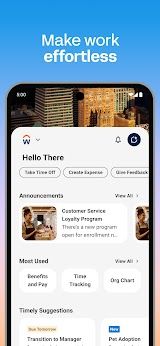
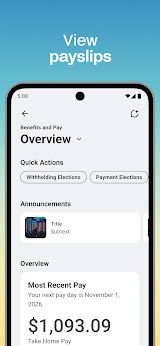
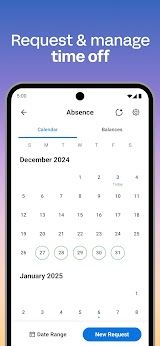
Workday is a cloud-based enterprise application for human capital management (HCM) and finance, with the official mobile app enables all employees and managers to get right tools, insights and answers in one place to keep work moving. Intuitive and seamless, the app provides instant access to everyday Workday functions such as checking in (office or on-the-go work), requesting time off, payslip history, expense submission of status & completion files and learning opportunities.
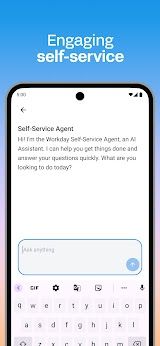
The Workday is designed to be simple, flexible and secure with a clean easy-to-use interface that allows for personalized shortcuts along with biometric authentication (Face ID/Touch ID) support. All of this data is stored in the cloud and not on the actual device, so if you lose your phone or it was stolen, all that information remains safe & up-to-date. Largely it helps both the employees at an individual level to assist in self-service HR functions, while on the other hand, managers get real-time oversight of their teams and approval tools.
Features
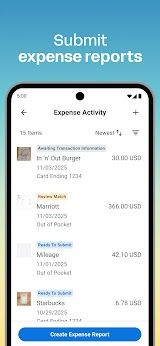
1. For Employees: Receive push notification reminders, check in/out of work, submit timesheets and expense reports (includes receipt scanning), view payslips & tax documents, make time-off requests & see balances and browse the company directory to get to know your teammates.
2. For Managers: Approve employee requests with the tap of a finger; view team and individual employees' profiles; manage employee roles; payroll management & request compensation changes via chat message in real-time or global notifications.
3. Company Announcements & Peer Feedback: Stay on top of latest company lore and prepare to your colleagues profiles; also it allows giving or receiving instant feedbacks, peer recognition which results better team bonding.
4. Intelligent Expense Receipt Scanning & Calendar Synchronization: Capture receipt snap photos to recognize, group and record bills from everywhere and whenever; coordinate processed leavings with the plan calendar for better ahead work arrangement execution.
5. Security & Usability: Store data in the cloud and never cache PII locally, Login using biometric (Face ID/Touch ID), Support for geofencing,Real-time sync with Workday web.
Review
Workday has changed the way we work in my professional life. The app is a unified workplace companion, bringing together all the critical tools along with insights and actionable answers at one place.
The biggest strength of the app is how it unifies everything. If you have to file timesheets, or apply for time off, or need a payslip — everything is just a few clicks away. It also means we no longer have to bounce back and forth between multiple systems or wait until we get into the office in order to take care of everything HR-related.
Users can access the interface which is extremely neat and easy to use. I have to say that the navigation even for a non-techie like me is pretty simple. Features are logically organized, and learning curve is low.
The reminder is a game-changer. We don’t miss important deadlines, or forget to hand in expenses anymore. These subtle nudges keep us on the path and are not too strenuous.
When it works, the Workday does deliver on its promise of being able to get work done while in flight. It is simple to use while providing comprehensive functionality, so it has become an indispensable tool for employees and managers alike.

 Install Latest APK

 Check historical versions