

Description
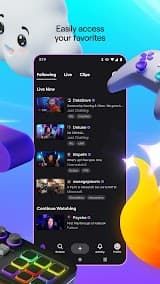
A live streaming platform built around gaming, Twitch is one of the biggest platforms globally for game-based video content and was first launched back in 2011 before being acquired by Amazon three years later. Originally a place for game players to stream themselves playing video games, Twitch has become an expansive platform that encompasses music, art and creativity as well as talk shows/sports and IRL content. It now hosted millions of daily active users streaming or watching LIVEs in all categories.
Twitch has changed the way we watch and create live content. This blend of real-time interaction, monetization for creators and community building has helped establish it as a cornerstone in the modern digital entertainment ecosystem well beyond its gaming roots.
Features
1. Live Streaming: Twitch is primarily used for live streaming. Streamers can either share their screen, webcam feed or both at the same time and viewers see that content live. This immediacy creates an intimacy that video cannot offer.
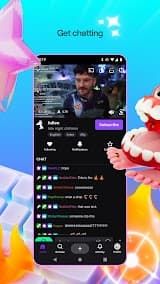
2. Interactive Chat System: Its live chat is one of Twitch's signature features. They can chat with the streamer live, asking questions and expressing their reactions — this way they build a community.
3. Monetization Opportunities: There are several revenue sources for creators on Twitch. They come in the form of paid subscriptions (with multiple pricing tiers), Bits (a viewer-use virtual currency for cheering) donations, ad sharing revenues and sponsorships. The Twitch Affiliate and Partner programmes are broadly similar, but there are clear frameworks in place to help streamers monetize their broadcasts.
4. VOD and Clips: In addition to live content, Twitch saves broadcasts as Video on Demand (VOD) for a period of time automatically. You can also make shareable short "Clips" of your memorable moments.
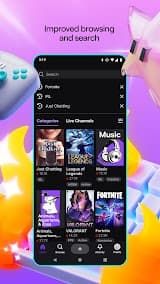
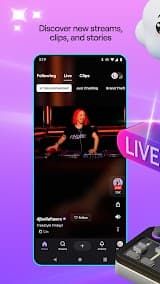
5. Discoverability and Categories: The platform categories and tags the content, which allows viewers to find streams that match their interests. Browse & search to find new creators/communities
Review
Above all else, the core competitive advantage for Twitch is its unparalleled real-time interactive community ecosystem. This platform brings together big streamers and huge audiences in terms of gaming, music, art, talk shows the list continues with myriads in these niches. In addition to sending bullet comments and voting, viewers can also donate cheers and subscribe during a live broadcast.
Secondly, the platform has stable streaming performance and multi-terminal compatibility. Whether accessing via mobile app, desktop client or web browser, Twitch maintains smooth live playback with low latency for most mainstream streams. The mobile application is well optimized, supporting background playback and screen adaptation for different devices, which greatly improves the flexibility of viewing experience.
In addition, Twitch has exclusive value-added benefits linked to Amazon Prime. Users with Amazon Prime membership can enjoy free monthly channel subscriptions, ad-free viewing for subscribed channels, exclusive emoticons and other perks. This cross-platform integration greatly enhances the cost performance of user experience, and also provides more revenue channels for creators.
Despite its prominent strengths, Twitch still has many pain points affecting user experience. The most complained problem is excessive and frequent advertisement interruptions. Many streamers launch 4 to 5 ad breaks per hour due to revenue demands, and the platform's official pop-up ads also frequently appear during viewing.

 Install Latest APK

 Check historical versions