

Description
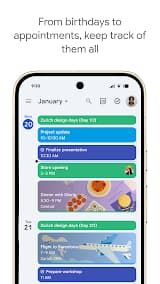
Google Calendar is the official scheduling and organizing software born to help you get through your day. The complete digital planner will keep you in the groove and is available via your Android phones, tablets, and Wear OS devices. Whether you're managing your personal calendar or working with a team in a hybrid work situation, Google Calendar is an integral part of keeping you organized and on-track throughout your digital life.
Features
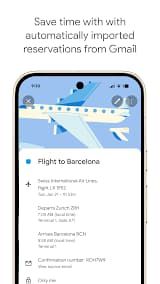
1. Automatic Event Creation: Automatically scans Gmail and marks all reservations for flights, hotels, concerts (earlier) or restaurant (newly added), directly on the calendar.
2. Task Management: It allows you to create, manage and view your tasks along with scheduled events. The full-screen view allows you to stay focused on your work.
3. Sync Across Devices: Your schedule goes with you. When you log into the same Google account, your data is synced instantaneously through mobile phones, tablets and computer.
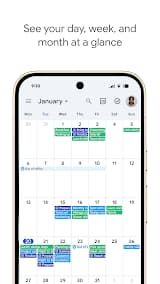
4. Flexible Views: Change your view quickly from Month to Week or Day with the detail you need.
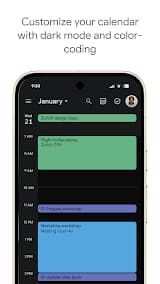
5. Personalization: Customize your experience with Light / Dark mode and color-code events for easy visualization of work calendar, personal life, appointments etc.
6. Calendar Merging: See Google Calendar alongside other calendars you have on your device, even ones from a Microsoft Exchange server.
Review
It includes some of the most popular features: for example, it automatically synchronizes your events with Gmail. All flight tickets, hotel bookings, concert reservations and restaurant reservations in my mails are mainly added to the calendar automatically without me physically typing anything which also helps save a lot of time from missing out on important arrangements.
The function of syncing your data across different devices also really helpful. As with the rest of Google's services, as long as you're logged into the same Google account you can hop on my Android mobile phone, tablet computer, Wear OS watch and my own personal laptop. All your schedules/data is available on all devices, which makes it easy for you to check/flex around plans any time and from anywhere.
The app provides clear and completely customized settings for daily personal management. You will be able to browse for both the month, week and day modes also where you can check my schedules in different dimensions. It supports light and dark themes, color coding for different events to make your calendar easy on the eyes.
It also combines practical task management functions, apart from scheduling events. Set intricate to-do tasks alongside your calendar events, side by side editing and managing lists; the new full-screen view for organizing task management that perfectly melds checking together with well-arranged scheduling. That also translates to the Wear OS side well. When you are away from the phone, but have the watch close hand on your wrist, you can easily look up upcoming events and pending tasks thanks to these tiles & complications – efficiency.
In summary, Google Calendar is an effective and solid scheduling application that also provides little use. It can meet the needs of both personal life schedule arrangement and enterprise team collaboration, with light application operation and rich functions which is very suitable as one available calendar app. Recommended for both individual users and office teams.

 Install Latest APK

 Check historical versions