Home > Google Docs
Google Docs App Icon

Google Docs Safe download icon

star rating 4.6
Rating
536.9M+
DOWNLOADS
Varies with device
Version
ADVERTISEMENT

Additional Info

app name icon
App Name
Google Docs
developer icon
Developer
Google LLC
rating icon
Rating
4.6
package name icon
Package Name
com.google.android.apps.docs.editors.docs
version icon
Version
Varies with device
update date icon
Updated
Jun 23, 2026

Description

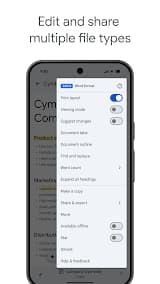
Google Docs is a cloud-based word processor offered by Google which forms part of the larger suite of tools within what are collectively termed Google Workspace (previously known as G-Suite and includes Sheets, Slides etc). Initially launched in 2006, it allowed for users to create, edit and share documents all from a web browser with no installation. Gemini AI integrated for smart writing assistant and one of the most popular online document platforms with over two point four billion active Google Workspace users worldwide. It supports over 100 languages, runs on all devices (desktop and Android/iOS/ChromeOS) with full Microsoft Office format compatibility (.docx,.xlsx,.pptx, etc.).

Features

1. Real-time Collaboration: Edit same document at the same time by Multiple users. Color-coded cursors show changes character by character. With Operational Transformation (OT) algorithm to solve the conflict.

2. Auto-Save & Version History: All changes made are saved automatically in the cloud. Find out who changed what and when with full revision history, actually restore any previous version.

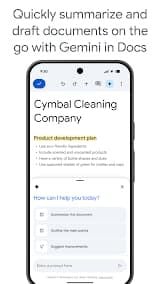
3. AI-Powered Writing (Gemini): Gemini is natively integrated into Docs for smart compose, content generation, summarization and grammar suggestions — all without leaving the editor.

4. Document Tabs: Organize large documents with multiple tabs (up to 3 levels deep), like chapters in a book. Share a specific tab instead of the whole file.

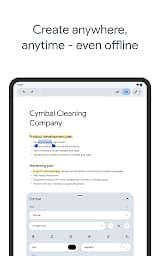
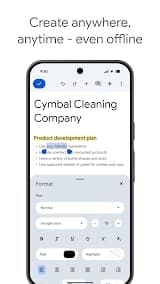
5. Offline Editing: Can operate offline using the Google Docs Offline extension for Chrome or Drive desktop app. When back on line, changes will sync up automatically.

Review

Google Docs have a biggest competitive advantage, it is seamless real-time collaboration feature. It allows multiple users to work on the same document at any one time, with changes reflected live across screens. This is really valuable for me, since I've worked on group projects where people were in different time zones and forwarded unrevised versions of a document over email. In the words of one reviewer: “Google Docs is the gold standard for document collaboration and sharing. Being able to see who is editing what and the built-in chat and commenting makes it truly a collaboration machine!”

No more frantically hitting "Ctrl+S," no more lost hours of work from a crash. Google Docs automatically saves all changes made to your document the time you write them. Which has lost me hours of work due to a blue screen/freezing etc, unlike other writing programs. Just the ability to do this makes Google Docs worth it.

Google Docs is completely free for individual users, and your data includes 15 GB of cloud storage on Google Drive. One biz user, for example, said: "It has most of the major features that are present in MS Office 365 without costing a subscription price." This is a great benefit for students, freelancers and cost-aware small teams.

Google Docs serves text editing, but with regards to advanced formatting can seem more limited than Microsoft Word. As a word processor it does not have all of the cool features that Word has. Some of the features that yielded complex tables.

FAQ

1. Can multiple people edit a Google Doc at the same time?

-

Absolutely. Multiple users can edit the same document simultaneously, and changes appear in real-time for everyone. You can see each person's cursor and edits as they happen. This is one of the most powerful features of Google Docs.

2. Can I use Google Docs offline?

-

Yes, but only with a little setup. This way you require to have installed Google Chrome browser and install "Google Docs Offline" extension. After enabling it, you'll be able to create, view and edit documents offline. Your changes will sync once you back online.

3. Can Google Docs open Microsoft Word files?

-

Google Docs does open into many kinds of files. Though formatting does not always get translated perfectly – spacing, fonts and very complex layouts may be compromised.

4. What is the available storage space?

-

Free users are given 15 GB of storage that is shared across Gmail, Google Drive and Google Photos. If you need additional storage, Google One allows to purchase more.

5. How does version history work?

-

Google Docs saves every version of your document automatically. To view the version history, navigate to File, Version history, See version history. You can then see all changes that have been made, by whom and take any previous version back.

ADVERTISEMENT
install icon install icon Install Latest APK history version icon history version icon Check historical versions

Ratings

4.6
Total 2.4M
5 star
4 star
3 star
2 star
1 star

Screenshots

Google Docs App Screenshot
prev screenshot next screenshot