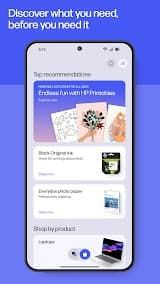





Description
HP Smart is a single app that does it all, it's multi-platform and easy to use. It makes printing or scanning documents much easier for you; Whether you are at home or the office, this official software is a full remote control for your HP printer and even allows managing the device right from your smartphone/tablet or Computer. Compatible with different operating systems like Android, iOS and Windows providing you smooth connect for all of your devices.
Features
1. Wireless Printing: Print to your desktop printer, a connected photo printer or all-in-one printers from anywhere within the local home Wi-Fi network without even powering on your computer. It has the ability to print over both Wi-Fi or via a WiFi Direct connection.
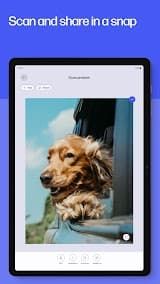
2. Scanning Capabilities: Use your mobile camera or built-in scanner to do a higher quality scan. The app has auto edge detection, perspective correction and image enhancement to deliver neat PDFs or JPEGs.
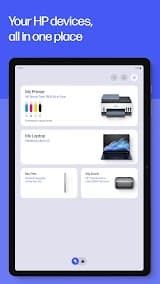
3. Printer Management: You will be able to monitor in real time the status of your printer. This includes checking ink (or toner) levels, ordering supplies straight from the app and even maintaining your device running smoothly.
4. Smart Tasks: Where productivity meets to-do lists with the ability to create shortcuts tailored your way. With Smart Tasks, you can automate repetitive workflows like scanning to a specific cloud folder or emailing a document with just one tap.
5. Cloud Integration: Easily share and access files. The app works with other cloud storage services, such as Dropbox and Google Drive but also social media.
6. Creative Tools: Have a printed craft, card and learning library. Scans and photos can also be edited with the addition of filters, text or even parameters before printing.
Review
HP Smart is a practical and user-centric official management tool for HP printers, covering full-featured printing, scanning, device management and cloud services, and it is suitable for both family daily use and small office business scenarios.
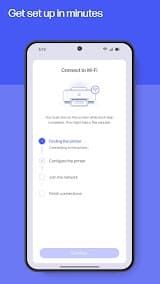
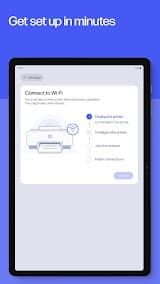
The biggest advantage of this app is its extremely simple device setup and connection process. Different from traditional printer driver installation which is complicated and time-consuming, HP Smart provides step-by-step visual guidance. It can automatically search for nearby HP printers via Wi-Fi and Bluetooth, realizing one-click pairing and connection. There is no need for complex manual configuration of IP addresses or port settings, which greatly lowers the operation threshold for non-professional users. It supports cross-platform use on iOS, Android, Windows and Mac, realizing seamless switching of printing and scanning tasks among multiple devices.
In terms of core functions, HP Smart performs well in daily office and home scenarios. It supports wireless remote printing of documents, photos, PDFs and web pages, and allows users to adjust printing parameters such as color mode, number of copies, and paper size in the app with flexible settings. The built-in scanning function is also powerful. It can convert paper documents into high-definition electronic files, support cropping, color correction, text sharpening and other optimization operations, and directly save files to local devices or cloud storage such as Google Drive and OneDrive.
However, the app also has some obvious drawbacks in actual use. Occasional connection instability occurs. When the home router restarts or the network environment fluctuates, the app often fails to automatically reconnect the printer, requiring manual refresh or device restart.
To sum up, HP Smart is still the best official management tool for HP printer users. Its convenient wireless operation, complete functions and friendly operation interface bring great convenience to daily printing and scanning work. It is worth recommending for ordinary family users and small office workers.

 Install Latest APK

 Check historical versions