







Description
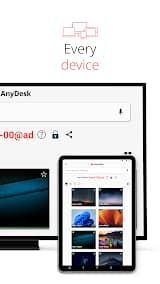
AnyDesk is a powerful and user-friendly remote desktop software designed for professional remote maintenance and daily remote connection scenarios. It enables stable and seamless remote access between devices, regardless of whether the devices are in the adjacent office or thousands of miles apart across the globe. Adhering to high security and reliability standards, AnyDesk perfectly serves both professional IT practitioners and individual private users, covering diverse usage needs in different scenarios.
Notably, AnyDesk is completely free for personal non-commercial use. It delivers reliable remote connection solutions for multiple groups, including IT technical support work, home office collaboration, and remote learning for students. The software allows users to access and control remote devices safely and effortlessly, realizing barrier-free remote operation and improving work and study efficiency significantly.
Features
1. Superior Performance: Equipped with advanced self-developed decoding technology, AnyDesk ensures stable and smooth remote control experience. It adapts to various network environments and maintains outstanding operational fluency even under ordinary network conditions.
2. Bank-Level Encryption Security: Adopting rigorous bank-grade encryption protocols, the software fully encrypts all remote connection data and transmission content. It effectively prevents data leakage and unauthorized access.
3. High Frame Rate and Low Latency: The real-time synchronization of remote device screens is highly consistent, eliminating stuttering and delay problems, and meeting the precise operation needs of professional remote maintenance and real-time office work.
4. Dual Deployment Support: Flexible deployment modes are available for different user demands. It supports both cloud-based online deployment for convenient instant connection and local deployment for enterprise users.
Review
AnyDesk is a powerful and versatile remote desktop solution that allows users to connect with devices at any distance - whether it be the other end of your office building or another country. Geared to both professional IT users and private individuals, the software encompasses robust security with dependable operation at an accessible price point. Bonus point, AnyDesk is fully free for personal use and the software can please IT support staff who are working remotely as well as students or just about anyone else who needs clean secure remote connections.
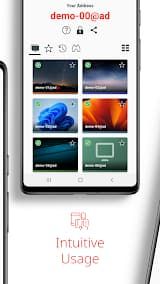
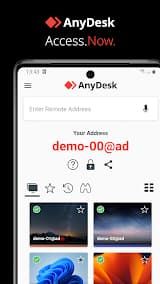
Steps on getting started with AnyDesk is so simple. It installs in seconds and has a clean intuitive interface. Users can be set up to make their first remote connection within minutes by downloading the software on both ends, entering in a remote AnyDesk-ID and confirming an access request. One of the clear benefits for its non-technical users is that there is no steep learning curve.
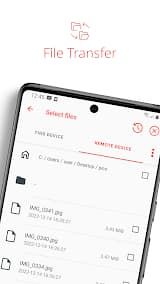
AnyDesk provides a high frame rate and low latency for good performance over worse than great network conditions. And that applies whether you're accessing files, running applications or providing real-time IT support; everything feels smooth and responsive. This kind of performance should prove especially useful for pros who need to remotely troubleshoot and manage things quickly.
The free personal-use tier is exceptionally good and completely functional for students, home users and freelancers alike. It gives you access to practically all the core features without artificially imposed limitations which makes it one of the best value remote desktop tools for non-business use.

