




Description
Microsoft Word is the official mobile app for Microsoft Corporation wrangling the power and familiarity that has made desktop word processing a hallmark of excellence on your smartphone/tablet. As a student, you can work on assignments, professionals draft reports and writers note their ideas wherever they take it to—this app lets them create-read-edit documents seamlessly across devices. It works in many formats like DOC, DOCX PDF and RTF thus solving all text-based tasks wherever you are.
Features
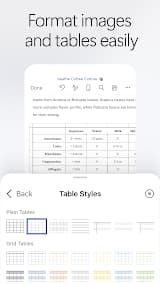
1. Robust Editing Features: The mobile app preserves most of the formatting options that are offered in the desktop version. From fonts to colors, alignment to line spacing. Users may customize their documents by adding tables, pictures and shapes along with hyperlinks for professional-looking work.
2. Rich Template Gallery: Reduce the pain of not knowing where to start. The app provides free modern templates for resumes/cover letters/newsletters/scripts/invoices so that one does not waste time designing layouts from scratch.
3. Real-time Collaboration: With Microsoft 365 integration, it allows co-editing of docs by multiple users at the same time. You have the ability to comment beside certain text, identify edits made by other users and access a version history for recovery of earlier drafts.
4. Cross-Platform Cloud Sync: Documents are automatically saved to OneDrive, Dropbox or SharePoint so that your last few edits on the phone can be seen on Windows PC and tablet.
5. PDF to Word Conversion: Built-in converter helps convert data from PDF files into word documents for easy editing, modifying original content which is locked as a PDF file.
Review
There are many competitors but Microsoft Word is still the pinnacle of document editing on a mobile device. The app offers much more than a basic word processor available at your fingertips with comparatively powerful capabilities whether you are writing an essay, editing report or checking the language of any contract on mobile. While I alternate regularly between desktop and mobile flows, the app has been a steadfast companion—and with some gripes.
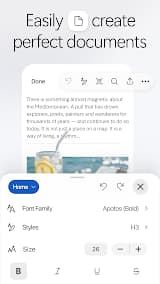
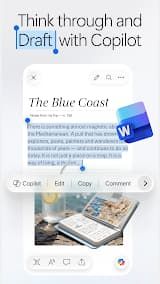
It provides a smooth and intuitive editing experience. The formatting tools are available immediately, similar to the desktop version — for example font selection, paragraph style selections as well bullets and numbering. The fully supported Track Changes and commenting features make it possible to collaborate even on a phone or tablet. OneDrive and SharePoint provide cloud integration enabling documents to have a seamless experience across devices, while the auto-save feature is simply life-saving.
There is an outstanding Read Mode along with the power to convert a PDF into editable Word directly from within the app, both are super productive features when you need them on-the-go.
The free version is very restricted. If you don't have a Microsoft 365 subscription, you'll be limited to viewing and basic editing—anything more sophisticated (like formatting or saving in the cloud) will need paying. The ribbon interface can seem cramped on smaller phones, and sometimes layouts that need to be fluid do not render as intended compared with the desktop. Also, the app struggles with large documents that have many graphics or embedded media from time to time.
Microsoft Word on the mobile is a serious tool if you really need to edit your documents. Sure, the subscription may put off infrequent users but pros and students will consider it a worthwhile investment when on this otherwise gold standard graphics tool.

 Install Latest APK

 Check historical versions